Computing
Today will cover four areas of computing and how these relate to Aerospace Engineering.
- Personal Computing (PC)
- Mobile Computing
- High-Performance Computing (HPC)
- Embedded Computing
Why do you care?
- As a future aerospace engineer, you will either interface with, design for, or use a computer as part of your job
- Knowing the fundamentals is key to working with complex systems even if that isn’t “your job”
- At the very minimum, you will use computers to solve complex mathematics problems (unless you enjoy doing those by hand)
History of computing at ISU
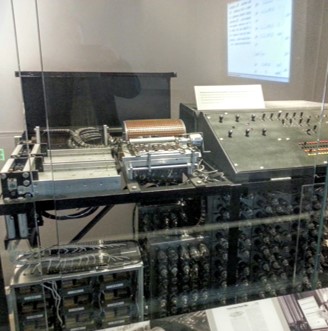
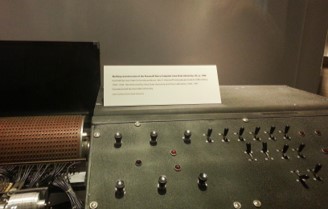
Iowa State University has a unique history when it comes to computers. In fact, we invented it! The first automatic electronic digital computer was the Atanasoff-Berry Computer (ABC) built right here at ISU.
- It had the first Arithmetic Logic Unit (ALU) which is even today is a fundamental component of every modern processor
- It was not, however, programmable (ENIAC would fix that issue later)
- You can see the ABC computer on display at the Computer History Museum in Mountain View, CA
| A | B |
|---|---|
 |
 |
from IPython.display import YouTubeVideo
YouTubeVideo('2GStSnfD08g')
Human computers
During WWI and into WWII, humans were the computers that performed complex calculations. As we entered the space race, humans again did the calculations until later in the space era when computers started to be used. Of course errors were always possible, which is why rooms of people were used to check the work. But it was thanks to human computers like Katherine Goble Johnson, Dorothy Vaughan, and Mary Jackson at NASA that put us on the moon.

And if you have not seen this movie, you should!
Personal Computing
Personal computers or also called workstation computers are what we typically think about when we think about computers. A personal or workstation computer will perform many different types of jobs. For that reason, they are often the swiss army knife of computing...they can do a lot of different things, but not one thing very well. This multi-purpose behavior is also present in the Operating System (OS) as well. As such, these will get the job done, but are limited.
CPU
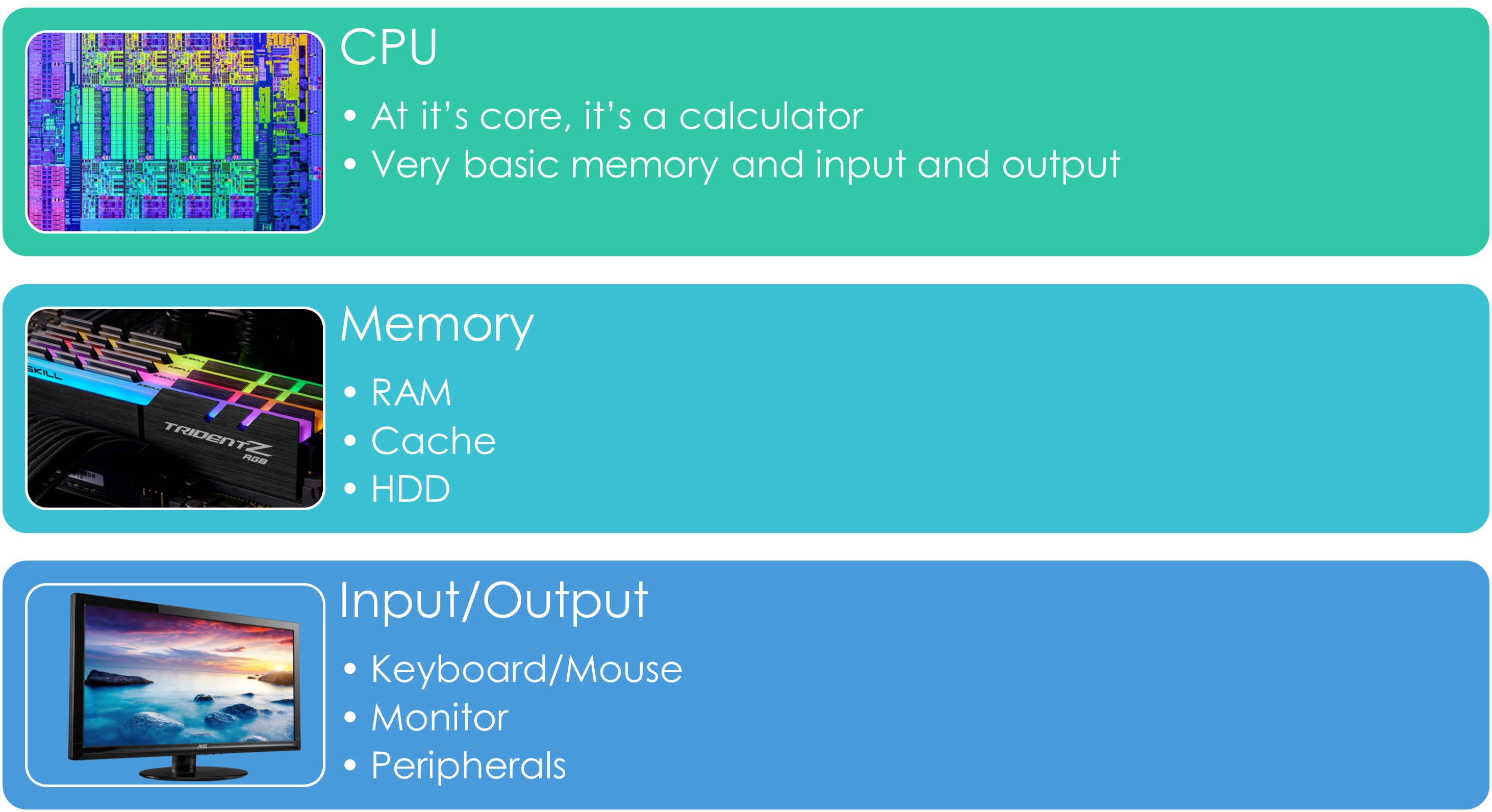
The Central Processing Unit (CPU) is the heart of modern computing. It has the following key blocks:
- Arithmetic (ALU, which is what ABC Computer contributed)
- Registers (memory) for data and instructions
- Control Unit to move things around
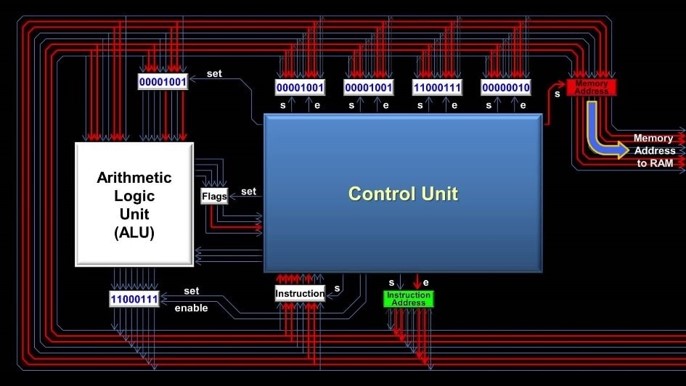
CPU
As you can imagine, the CPU is an important component and when we look at crunching numbers, this is typically done by the CPU (more on the GPU later). The CPU will do the following:
- Handles input/output
- Fetches and stores instructions/information as needed
- Registers
- Cache
- Does arithmetic
That's it. Everything we do with the computer, whether it is solving engineering problems or playing video games is broken down to information that is moved and then mathematically acted upon (add/subtract/multiply/divide). That's it.
Moore's Law
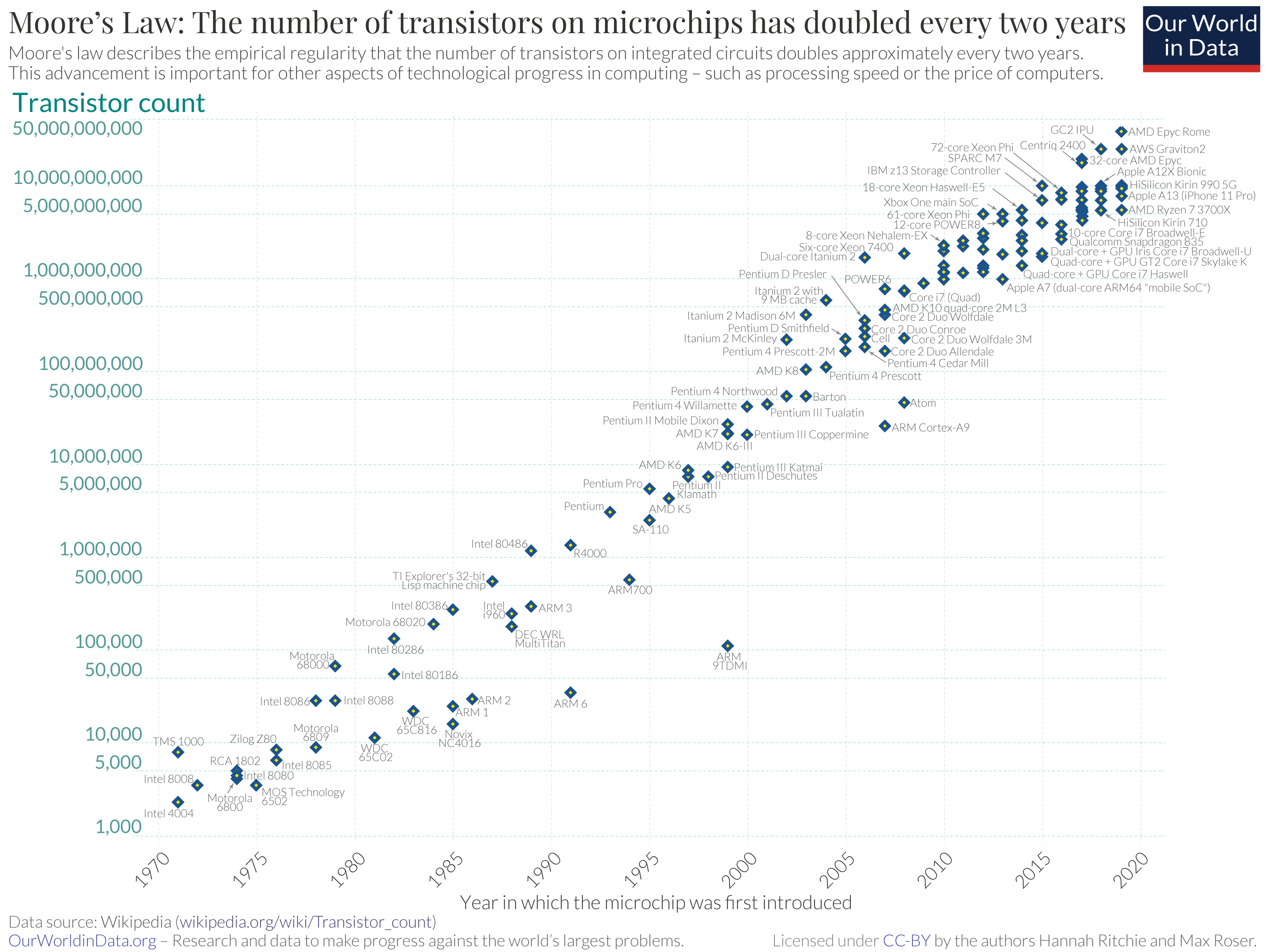
Gordon Moore (co-founder of Fairchild Semiconductor and Intel) developed his law, Moore's Law, which stated that the number of transistors on a CPU would double every two years. This in turn would result in faster and more capable computers. This law has remained mostly true even today. However, most experts agree that developments have slowed in more recent years and that we will hit a limit on semiconductor-based processors.
CPU Memory
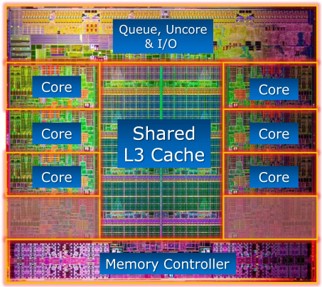
Before we talk about other memory, let's talk about the CPU memory that it has (typically, more on that later). This is the Registers and the cache. Registers are part of the CPU and as they are built into the CPU itself, they are the fastest but smallest memory out there. The CPU directly talks to the registers to store/retrieve data and instructions.
The cache is a small amount of memory used exclusively by the CPU. It may hold either instructions or data. It is also very fast and located physically very close to the CPU (but not part of the CPU).
Memory
There are of course other types of memory that is used. This includes long term storage (data stored when power is removed) and short term storage. Most of you are familar with Flash memory devices such as SSDs, M.2 drives, and USB flash drives. These all can store vast amounts of data, but they are still slow compared to other memory types.
Random Access Memory (RAM) is another type of memory that is used for temporary or short term storage. Data is not retained if power is removed. However, they are (usally) much faster than most Flash memory storage. RAM serves that need of having fast and vast amounts of temp storage and helps to buffer data coming in and out of slower Flash memory storage (usually)
Unified memory
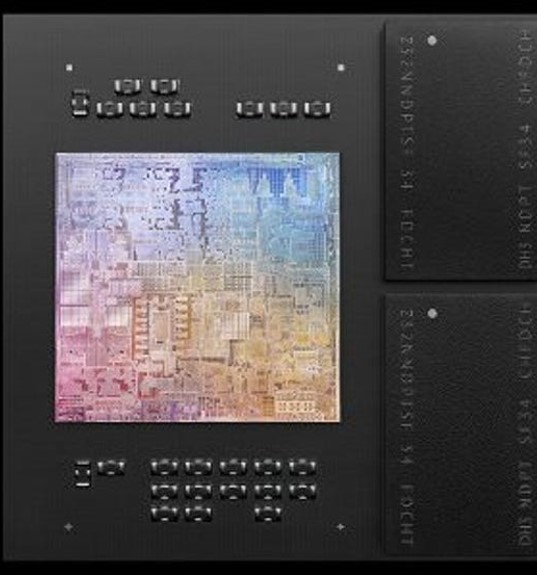
Apple introduced unified memory in the M1 and also with the M2. Unified memory has also been used in other System on a Chip (SoC) applications as well. With Unified memory, memory is shared between devices (CPU and GPU are the two most common). And, the memory is integrated directly on the silicon die. The advantage is dynamic allocation of memory as needed, faster pipeline access and better usage of physical space. The disadvantage is that upgrading requires the entire System on a Chip (SoC) to be replaced.
GPU? Other processors?
So what about the GPU? While you might think of your GPU as something that renders your favorite video game, GPUs have massive amounts of computing power (thousands of cores). Unlike a CPU, its sole function is to do calculations. A CPU on the other hand has some other I/O and other functions that makes it suited for a variety of other tasks.

I'm sorry Dave, I can't let you do that.
The GPU is a special type of processor and these come in handy for more special tasks. The GPU is not alone here, other special types of processors and they are designed to optimize processing a certain type of data or number crunching. An example is Google's TPU (Tensor Processing Unit) which is designed for machine learning applications. However, Intel, Nvidia, and AMD are all working on special processing units like Neural Processing Units (NPUs) for AI and ML. And Apple has been including a "Neural Core" in its M-series chips.

x86 vs ARM
Another thing we need to discuss on the language the CPUs talk. For many years (nearly 50) the x86 instruction set was the most popular due to Intel's dominance over the PC and other markets. But that is changing.
Intel's instruction set is what we call a CISC (Complex Instruction Set Computer). That instruction set is often a little easier for humans, but at the cost of extra clock cycles to execute. This is because a higher-level (complex) instruction set is then used to execute lower instruction sets.

ARM on the other hand is what we call RISC (Reduced Instruction Set Computer). Here each instruction is a one-to-one to being executed on the CPU. This can result in a speed increase as the CPU can be optimized for just those instruction sets. The drawback is usually an increase in code size due to each instruction needing to be written unlike with CISC. However, with modern computers, code size is less of a concern which is why companies like Apple and Qualcomm (Snapdragon) and even Broadcom (RPi) CPUs use ARM and the RSIC.

Mobile computing and Cloud Computing
I think I can say with high confidence that just about every student in this room has a mobile computer with them. The advent of smart phones and tablet computers has brought computing to every corner of the globe. As these devices get more powerful, they are now even being used for computational work as well. Since these are always connected, distributed computing is now becoming more popular.
Cloud computing is also something that has grown over the years. However, this really is not that much different from what we will talk about next, HPCs. Still, Cloud Computing has brought high performance computing to more people. Google Colaboratory is a good example of bringing high computing power to the masses, not just universities and large industries that can afford HPCs.
Mobile computing
Let's start with something you probably have with you right now. Today, computing is small enough and efficient enough that we can carry it in our pocket. Smart phones/tablets have changed how we interact with computers on a daily basis. But there are some other interesting things in mobile computing that may impact you as an engineer.
- Processing power has grown that small to moderate problems can be solved
- The distributed and connected method used in these devices allow for mobile solving of problems in almost real time
- Computing is no longer confined to a building, room or even a single location
- Transportation (including aviation) has seen an explosive growth in mobile computing being put into action
High Performance Computing
High Performance Computing on the other hand is designed for number crunching. Multiple processors, terabytes of data storage and Gigabytes of RAM allow these machines to work through complex problems. However, they are not known for being user friendly. They often use a command line interface (CLI) using Linux. Although, some are now offering GUI or web based interfaces (ISU's HPC does). Still, that does come at a cost (performance).
HPC Uses
- Scientific and engineering applications
- Large data sets (Big Data)
- Complex problems (often needing high processing, storage and RAM uses)
Key things about an HPC
- Concentrate's computing resources
- Multiple processors means we can parallelize tasks (more on that later)
- Multiple machines means we can further extend parallel tasks
- Petabytes of storage
Why Linux
Linux sits at the heart of almost every HPC in use. It used to be Unix, but Linux has now taken that over. Linux is ideal for this task as it was designed for multiple users, multiple tasks and handling large and complex datasets. This is why we use Linux in this course as well.
Embedded Computing
- With embedded computing, hardware and software are tightly integrated.
- These applications are usually application or device/component specific (ABS Brake controller).
- They are often un-noticed
- They usually have limited resources (Memory, CPU and Power), but that is changing
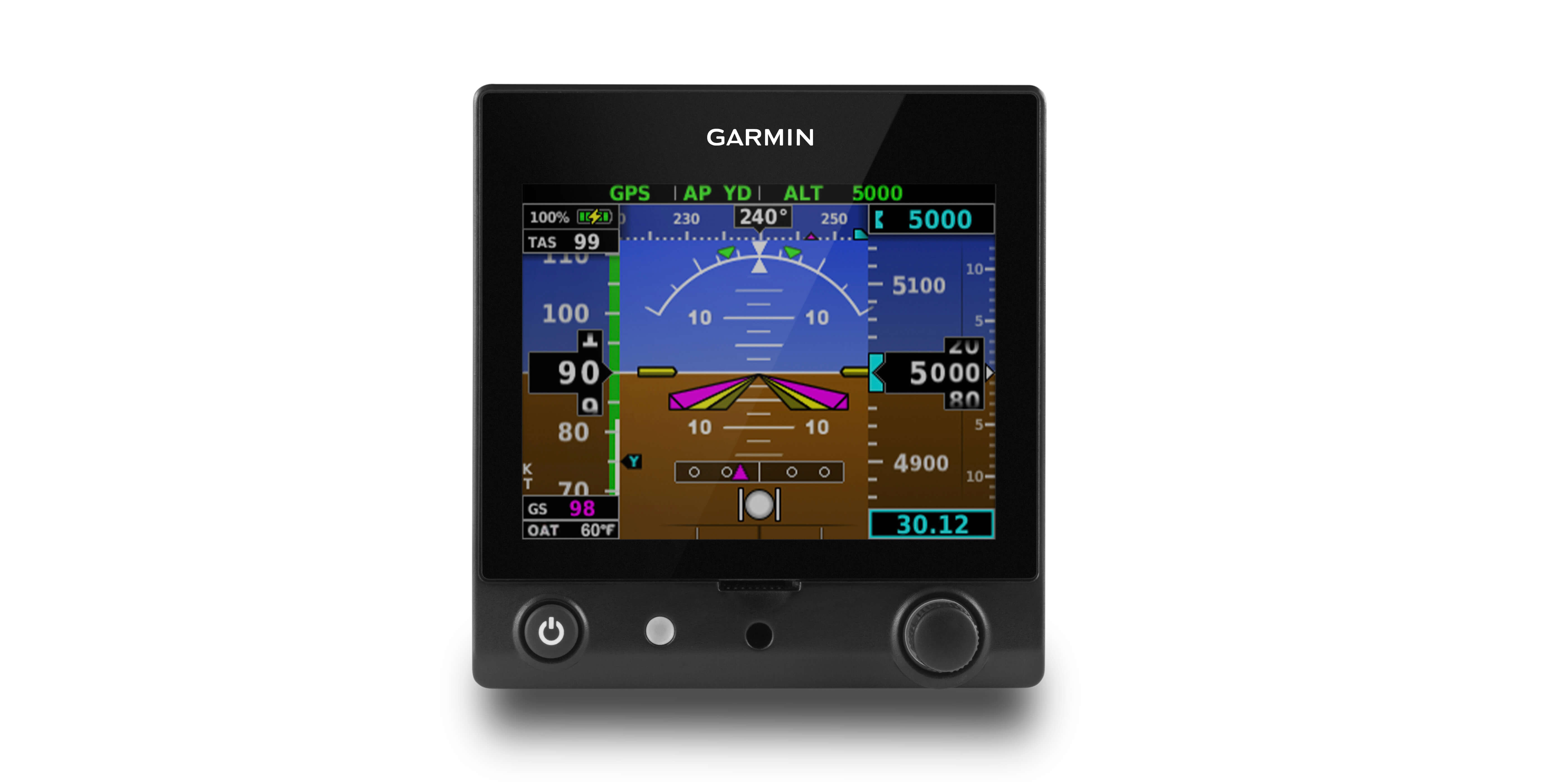
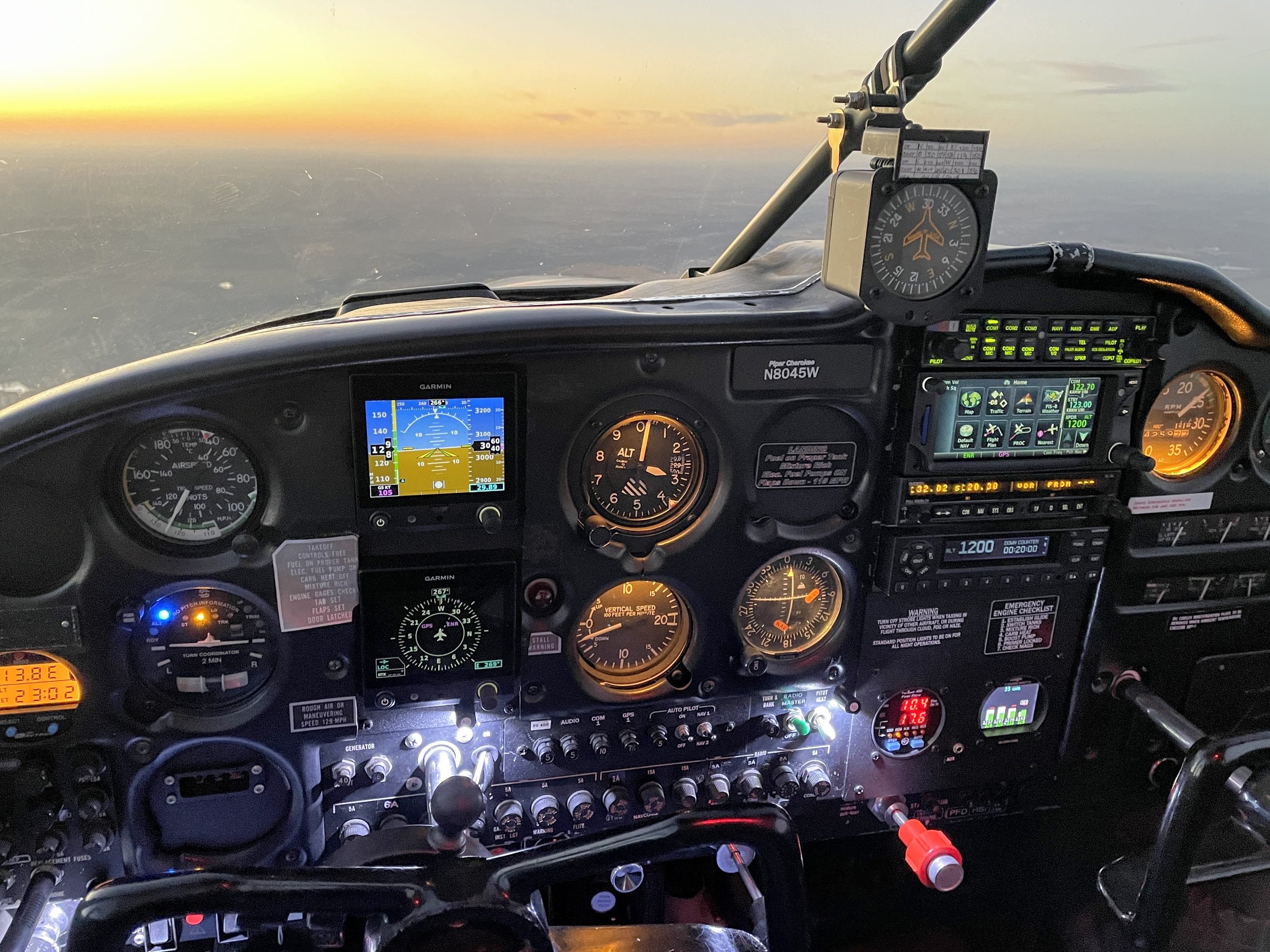
Embedded systems are very common in Aerospace, case in point...
Questions